Reboot Restore Rx
formerly Drive Vaccine.
Protect your public PCs from going out-of-order
Restore on Reboot
Instantly reset to the baseline on startup or hard reset.
One-Click Instant Update
Update the baseline without restarting your computer.
Reduce Maintenance Costs
Drastically reduces computer maintenance, and can be used to protect tier one public access computing environments



Reboot Restore Rx Overview
-
Key features
Reboot Restore Rx Main Features
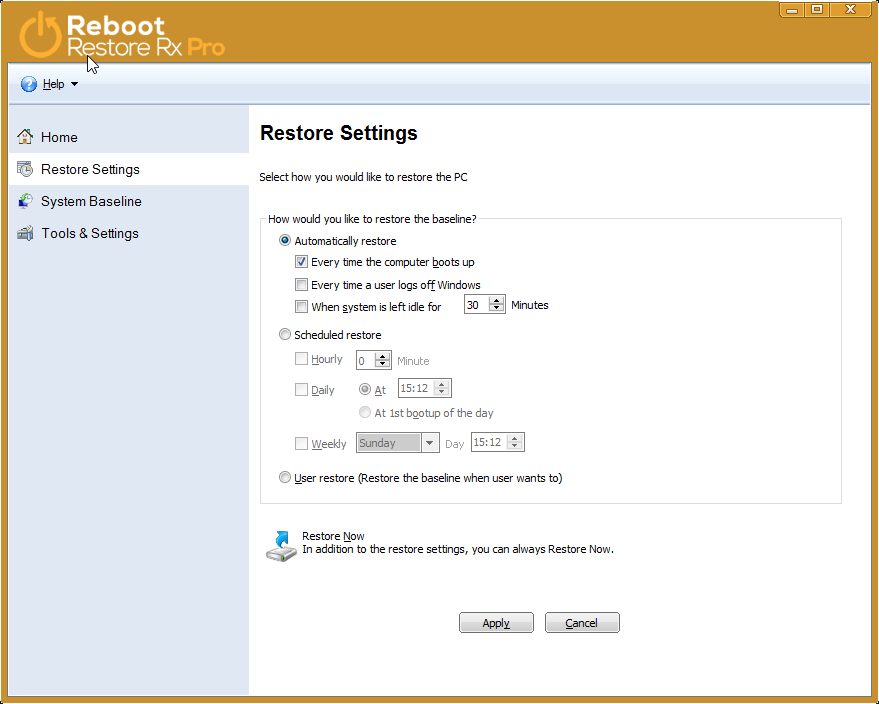
- Restore on Reboot Restore on Log-off
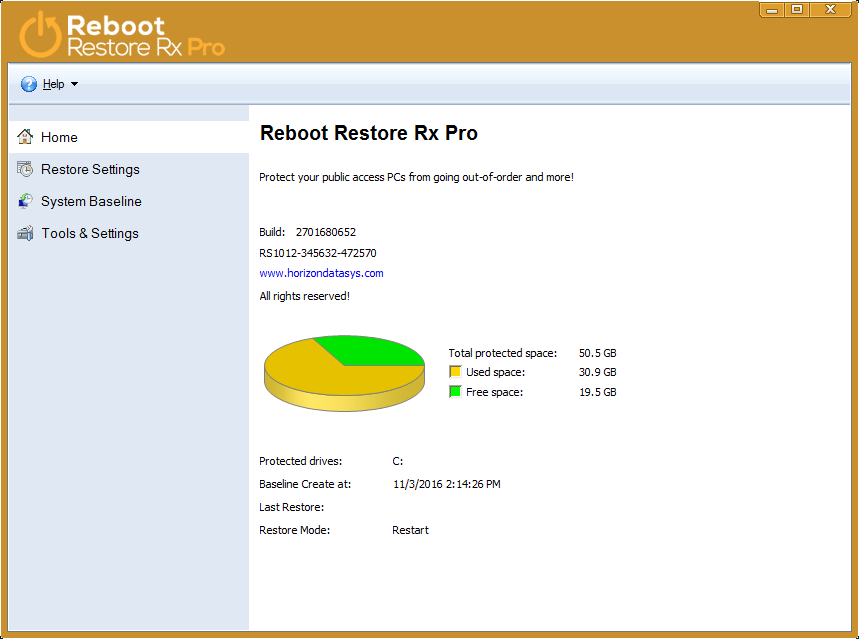
- Restore on Idle PC (no PC activity)
- Restore on an hourly schedule
- Restore on a Daily schedule
- Restore Daily on first startup of day
- Restore on a Weekly schedule
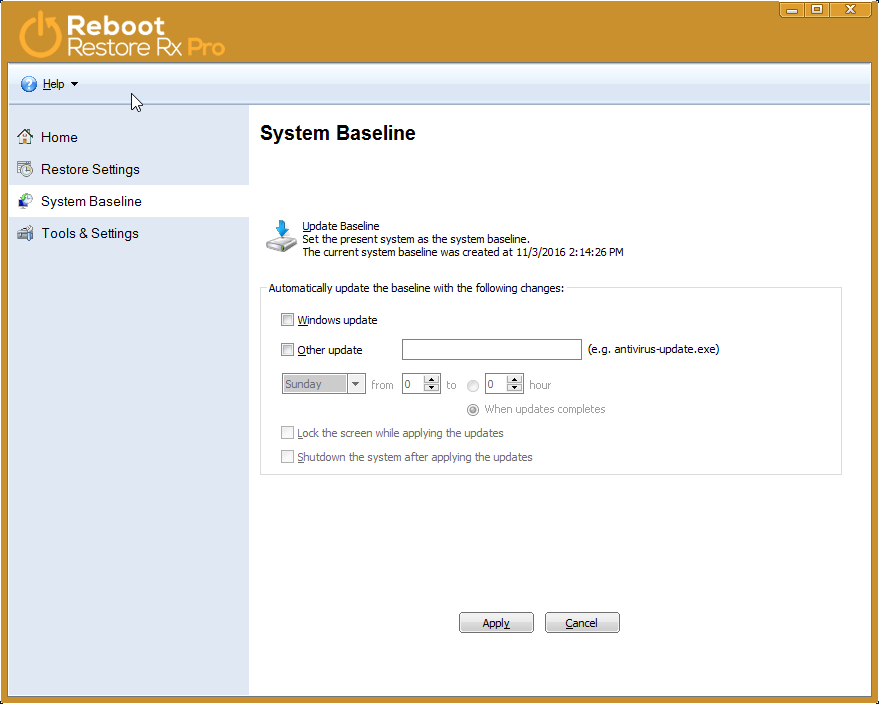
- Automatically accept OS and Anti virus updates Keep important data using “Immune Space”
- Block access to CD ROM and USB ports No hardware (no dongle or recovery card) required
- Protect unlimited hard disk partitions
- Recover the stable original state of hard disks automatically
on any schedule (every reboot, log-off, end-of-day, weekly, monthly)
- Easily write-protect each hard disk with two clicks (restore on reboot)
- Block USB devices and CD Media
- Remote Management Console for remote network administration (Free of cost)
- Create an Immune Space
- No specific hard disk partition setup required
-
Benefits
Reboot Restore Rx Benefits
Simple protection. Unrestricted access
Reboot Restore Rx Professional integrates Reboot-and-Restore, a simple technology designed to keep computers fully functional and optimally configured. In addition to restoring on reboot, Reboot Restore Rx Professional can also restore on user Log-Off and can also maintain a safe “Immune Space” for file and data storage.
Reboot Restore Rx Professional drastically reduces computer maintenance, and is widely used to protect public access computers, (ie. library public computers, school PC Labs, etc) or shared computing environments where a workstation could be damaged either intentionally or accidentally by a PC user.
Bullet-proof yet flexible PC restore
Reboot Restore Rx Professional (formerly Drive Vaccine) is a comprehensive automated PC restore utility that provides the right balance of functionality and robustness. Reboot Restore Rx Professional allows you to restore on reboot, log off, end-of-day, every hour, week, month — on any fixed schedule! You can even set Reboot Restore Rx Professional to automatically restore when the PC is idle for a set period of time. Reboot Restore Rx Professional sits outside Windows and functions at the sector level of the hard drive, not within Windows like traditional reboot-on-restore applications.
Reboot Restore Rx Professional protects the Master Boot Record (MBR), maintaining unmatched system integrity. With its 256-bit AES baseline encryption you can be absolutely certain that your public access PCs are protected from ANY inadvertent or malicious attempts to make changes to the PCs.
Reboot Restore Rx Professional VS Imaging
The days of having to re-image your hard drives, or worse, having to format and reinstall Windows constantly, are finally over! Imaging is a very time-consuming process. We bring the time required to restore your PCs down to seconds! With Reboot Restore Rx Professional, you can easily automate the restore process. Preserving a computer’s configuration and automatically returning it to this baseline on any schedule.
Enhance The Computing Experience
Reboot Restore Rx Professional ensures workstation performance is at optimal levels by removing website cookies, spyware, viruses and unnecessary plug-ins; which can cause system bottlenecks. Any infections to a “immunized” system are instantly eradicated – workstations are reverted back to their original configuration on every restart, log-off or on any fixed schedule. Because Reboot Restore Rx Professional does not restrict access and is invisible to users, users feel as though they have complete control of the machine, enhancing the computing experience.
Keep PCs Virus and Spyware free
Viruses and spy ware are the most common threats, and new infections slip through the cracks daily. In addition, users can also cause inadvertent damage to PC’s by tampering with configuration settings, or by installing botched software. Reboot Restore Rx Professional (formerly Drive Vaccine) helps maintain a consistent baseline – free of any malware or system changes.
Set Acceptable User Policies
Put in force user policies by guaranteeing that only approved applications are installed on your organization’s PCs. When protected, Reboot Restore Rx Professional will not allow configuration changes or installation of any applications to remain on the workstations. This, in effect, blocks the installation of most illegal or unauthorized software. Reboot Restore Rx Professional offers the option to deny access to CD ROM and USB ports – Preventing the use of external applications, root kits or data heisting.
Immune Space – Persistent Storage Space
Administrators can create a “Immune space” – a virtual drive space in order to save files and folders. This enables computer users to save files and folders for permanent storage, keeping them exempt from the restoration process. This integrated Immune Space ensures that student work files, such as documents can always be accessible even after Reboot Restore Rx Professional has restored the PC back to its baseline.
Remote Control – Manage PC’s from anywhere
The Reboot Restore Rx Professional RMC (Remote Management Console) is a complimentary utility that is delivered to all clients that require remote management capabilities of their Reboot Restore Rx Professional PC installations. The Reboot Restore Rx Professional RMC solution delivers a complete client-server based network management solution for Reboot Restore Rx Professional PC client installations – Enabling administrators to easily manage their client PC’s from anywhere via LAN, WAN or over the Internet.
Prevent Identity Theft – Protect User Privacy
Users in a public access settings are susceptible to falling prey to identity thieves. Some may attempt to pre-install a key-logger or some dangerous spyware application. Other bandits may attempt to view your history, temporary files or worse – Your completed forms, which may contain personal information, usernames, passwords etc. A system immunized by Reboot Restore Rx Professional insures users, that no information or installed applications remain. Reboot Restore Rx Professional erases any installed application, history settings, logs and temporary files from remaining on the public access workstation so your privacy is protected and personal information is not cached and saved on the system for prying eyes to see -
Videos
Visit Our Youtube Channel
-
Screenshots
More Reboot Restore Rx Screenshots
-
-
download
Download Now
Download Reboot Restore Rx Pro
Version: 10.6
Build: 2702327820
Last Updated: 08 February 2017
Requirements: Windows XP, Vista, Windows 7, 8, 10 (all 32 and 64 bit versions)

Download Free Trial
Download Now




Reboot Restore RX (freeware)
Reboot Restore Rx (freeware) prevents any and all changes made on your drive(s) making those PC’s bulletproof and unbreakable. It is designed for small public access computing environments such as classrooms, libraries, kiosks, and internet cafes. Even when users download files, viruses, malware, or even try to delete registry keys, Reboot Restore Rx will restore the PC’s back to your desired state set from a schedule that you have control of
Reboot Restore Rx Professional
(formerly Drive Vaccine) Reboot Restore Rx Pro prevents any and all changes made on your drive(s) making those PCs bulletproof and unbreakable. It is designed for public access computing environments such as schools, computer labs, kiosks, hotels, Internet cafes, and libraries. We understand it takes a certain fortitude to service PCs in the public domain where users are not always careful and computer usage is high. That is why we built Reboot Restore Rx Pro to be fast, effective and efficient. Regardless of what a user does (including erasing files, installing software or even hacking the system registry) Reboot Restore Rx Pro will automatically restore the PC to your desired system state on a schedule you set.
| Compare Products |  |
 |
|---|---|---|
| FREE | PRICING | |
| VMWare Support |  |
|
| Protects the MBR | |
|
| Mini OS Access | |
|
| Access Control & Data Security | Windows Admin User Only | |
| Stealth Mode | |
|
| Restore On Any Schedule | |
|
| Remote Management | |
|
| Back Out from Baseline Updates | |
|
| Automate Updates | |
|
| Exclusion Drive / Registry Exclusion | |
|